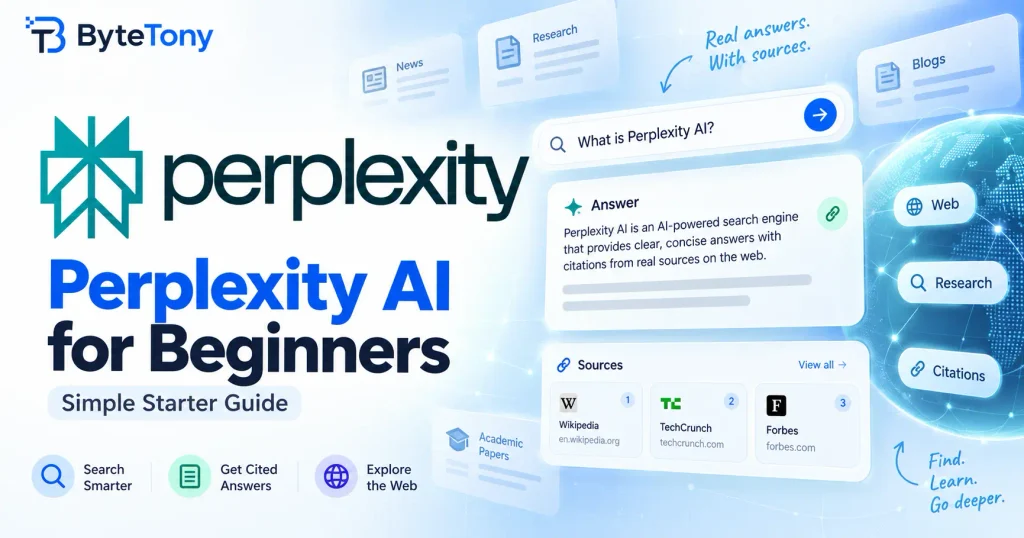
This Perplexity AI for Beginners guide shows you how to use the AI-powered answer engine for research, cited answers, and follow-up questions. Perplexity searches the web and returns a written answer with citations linking back to the original sources. We’ll also look at the differences between Free and Pro and where the tool falls short.
Note: This article may contain affiliate links. If you buy through them, we may earn a small commission at no extra cost to you.
Table of Contents
Perplexity AI for Beginners: How to Run Your First Search
- Start with the free version. You can use Perplexity for basic searches without paying. Creating an account gives you access to features such as search history and limited file uploads.
- Ask a full question, not just keywords. This is one of the easiest ways to get a more useful answer. “Best budget mic for podcasting under $100” gives Perplexity more context than simply typing “podcast mic.”
- Check the citations before trusting the answer. Perplexity includes inline citations that link to its sources. Open at least a couple of them before using important information in your work, especially statistics, prices, or claims you plan to publish.
- Refine the answer with follow-up questions. Perplexity keeps the context of your thread, so you could follow the microphone example with “Which of those work with a Mac?” instead of starting over.
If you are also exploring other AI assistants, see our beginner guides to Claude AI and Gemini Notebook to see how their workflows differ.
What Beginners Actually Use Perplexity For
- Research with sources. Gather background on a topic and quickly reach the original pages behind the answer.
- Fact-checking claims or statistics before publishing them.
- Summarising PDFs, documents, and other uploaded files. Upload limits depend on your plan.
- Exploring unfamiliar topics, such as typical prices, common software, or terminology in a new niche.
For example, a blogger researching budget podcasting gear could ask for recommendations, narrow the results to Mac-compatible options, and then open the cited product pages to confirm prices and specifications.
Perplexity can also fit into a broader content workflow. You might use it for research, compare other options from our list of the best AI tools for content creators, and use one of the best free AI writing tools for beginners when you move from research to drafting.
Perplexity Free vs Pro: Which One Do You Need?
Both plans provide answers with citations. The main differences are higher usage limits, model selection, and expanded file and research features on Pro. (Verified: September 2026)
| Feature | Free | Pro |
|---|---|---|
| Price | $0/month | $20/month |
| Basic searches | Available | Available with higher limits and features |
| Pro Search | Limited access | Extended access |
| Model choice | Perplexity selects the model | Preferred model selection available |
| File uploads | Limited | Higher upload and analysis limits |
| Best for | Occasional research and quick answers | Frequent research, file analysis, and advanced features |
Note: Pricing, limits, and available models can change. Check the official Perplexity website before upgrading.
For most beginners, the free plan is the sensible place to start. Consider Pro once you regularly run into the free limits or specifically need more research capacity, file analysis, or control over which supported AI model is used.
Where Perplexity Falls Short
- A citation shows where information came from, but it does not guarantee that Perplexity interpreted the source correctly. Verify important claims yourself.
- Source quality varies. A citation can point to either a strong primary source or a weaker secondary website.
- Perplexity is primarily built around search and research. If your main goal is long-form drafting or creative writing, a broader AI assistant may fit that workflow better.
- Features and usage limits change regularly, so screenshots or exact limits in older tutorials may no longer be accurate.
If you use AI-generated text in your workflow, ByteTony’s free Text Cleaner can help remove unwanted formatting, while the Word Counter makes it easy to check the length of a finished draft.
FAQ
Is Perplexity AI better than Google?
They are designed differently. Google primarily helps you discover and navigate websites through ranked search results. Perplexity is designed to combine information from multiple sources into a direct answer with citations. Which is more useful depends on whether you want a quick synthesized answer or prefer to browse the sources yourself.
How is Perplexity different from ChatGPT?
Perplexity is built around web research and source-backed answers. ChatGPT is a broader general-purpose assistant that can also search the web and perform research. Perplexity has a more search-first workflow, while ChatGPT covers a wider range of tasks beyond research.
Can I use Perplexity’s answers in my own blog posts?
Treat Perplexity as a research tool rather than a source to copy from. Open and verify the cited pages, write the information in your own words, and credit the original source when appropriate.
Conclusion
A good way to approach Perplexity AI for beginners is to think of it as search that answers your question and shows its sources. Its free plan is enough for most beginners to learn how the workflow works, but the citations are only valuable if you actually check them.
Start with a few real questions from your own work, open the sources behind the answers, and see whether Perplexity makes your research faster.
Enjoyed this guide? Support ByteTony and help us create more simple, beginner-friendly tech guides.
☕ Support ByteTony