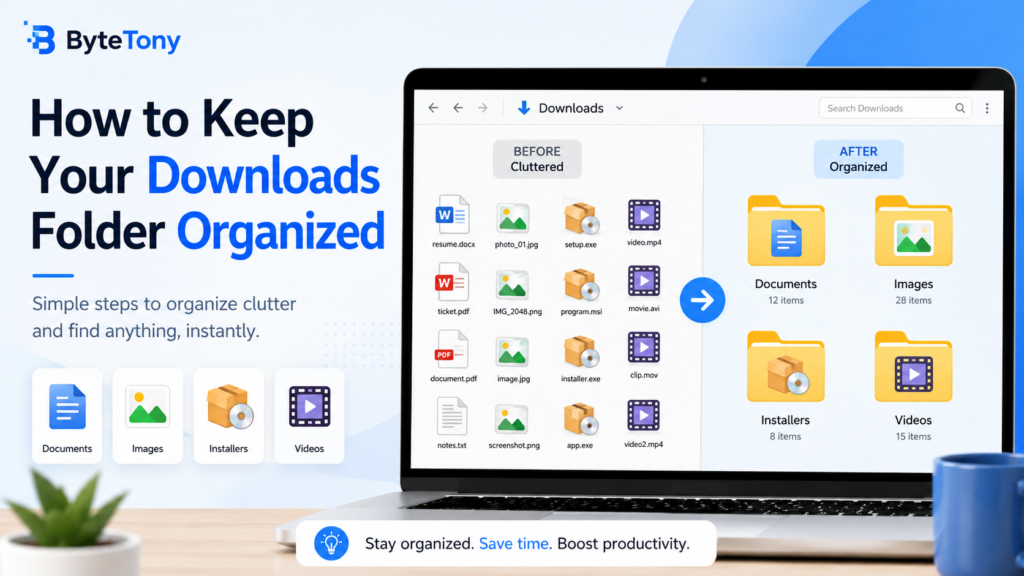
Your Downloads folder can quickly become filled with documents, images, installers, and other files. A few simple habits can make it much easier to find what you need.
1. Delete Files You No Longer Need
Start by removing old installers, duplicate files, and documents you no longer use. This helps reduce clutter immediately.
2. Create Simple Folders
Create a few folders for common file types, such as:
- Documents
- Images
- Software
- Videos
Move downloaded files into the appropriate folder instead of leaving everything in one place.
3. Rename Important Files
Files with names such as document123.pdf can be difficult to identify later. Rename important downloads with clear names that describe their contents.
Final Tip
Spend a few minutes cleaning your Downloads folder every week. A simple routine can prevent hundreds of unnecessary files from building up over time.
Enjoyed this guide? Support ByteTony and help us create more simple, beginner-friendly tech guides.
☕ Support ByteTony