
The Best Free AI Email Writers for beginners help you draft professional emails, improve your tone, and save time without paying for a subscription. Some work directly inside Gmail or Outlook, while others generate text you can copy into any inbox.
Below are seven useful options, their free-plan limits, and what each does best.
Affiliate disclosure: This article contains affiliate links. If you make a purchase through them, ByteTony may earn a commission at no extra cost to you.
Table of Contents
Best Free AI Email Writers: Quick Comparison
| Tool | Works in | Free access or main restriction | Best for |
|---|---|---|---|
| Gemini Help Me Write | Gmail (web and mobile) | Free for US personal Gmail accounts | Gmail users |
| Grammarly Free | Browser, desktop | 100 AI prompts/month | Polishing drafts |
| QuillBot AI Email Writer | Web browser | Free email generation; no sign-up required | Quick emails |
| ChatGPT Free | Web and mobile apps | Unlimited everyday text chats, subject to safeguards | Complex emails |
| Rytr | Web, Chrome extension | 10,000 characters/month | Ready-made templates |
| MailMaestro | Outlook, Gmail extension | 3 AI requests/week | Occasional Outlook emails |
| HubSpot AI Email Writer | HubSpot platform | Free writing features; branded marketing emails | Sales and marketing |
Verified: October 2026. Features, availability, and usage limits may change. Check each provider’s website for current details.
1. Gemini “Help Me Write” in Gmail
Gemini’s Help Me Write feature is one of the easiest options if you already use Gmail.
It works directly inside your inbox, allowing you to generate new emails or improve existing drafts using options such as Formalize, Elaborate, and Shorten.
The catch: Free access is limited to personal Gmail accounts in the United States. Elsewhere, an eligible paid Google AI or Workspace plan is required.
You can check the latest eligibility details in Google’s official Gmail Help documentation.
Best for: Eligible Gmail users who want AI assistance without switching apps.
2. Grammarly Free
Grammarly is particularly useful when you already have a draft and want to make it clearer, more professional, and grammatically correct.
Its browser extension and desktop app work across many websites and email platforms, including Gmail and Outlook.
The free plan includes spelling and grammar corrections, tone detection, and 100 generative AI prompts per month. Advanced rewriting features require a paid plan.
The catch: Grammarly is better for editing existing emails than generating large numbers of complete messages from scratch.
Best for: Professionals and students who want to polish their own writing.
3. QuillBot AI Email Writer
QuillBot provides a simple browser-based AI email generator that does not require signing up.
Describe what you need, choose a suitable tone through your instructions, and generate an email you can copy into Gmail, Outlook, or another service.
QuillBot advertises its dedicated email writer as free to use without a stated generation cap.
The catch: Generic prompts often produce generic emails. Mention the recipient, purpose, and important details to get a more useful draft.
Best for: Beginners who want to generate quick emails without creating an account.
4. ChatGPT Free
ChatGPT is one of the most flexible choices for difficult emails, including job applications, client negotiations, apologies, and professional follow-ups.
You can explain the situation, request a draft, and continue refining the wording until it sounds right.
The free plan includes unlimited everyday text chats, subject to abuse-prevention safeguards, while advanced tools have separate usage limits.
The catch: You generally need to copy the finished email into your inbox. Also, personal ChatGPT conversations may be used for model improvement depending on your privacy settings.
Best for: Complex emails that need careful wording or multiple revisions.
5. Rytr
Rytr is a practical choice for beginners who prefer ready-made writing templates instead of creating detailed AI prompts.
It offers email-writing use cases, 20+ pre-programmed tones, and a Chrome extension. You can generate short professional emails, adjust their tone, and improve your drafts.
The free plan includes 10,000 characters per month, requires no credit card, and supports one selected language.
The catch: Regenerating text consumes your monthly character allowance, so the free plan is better suited to occasional short emails than heavy daily writing.
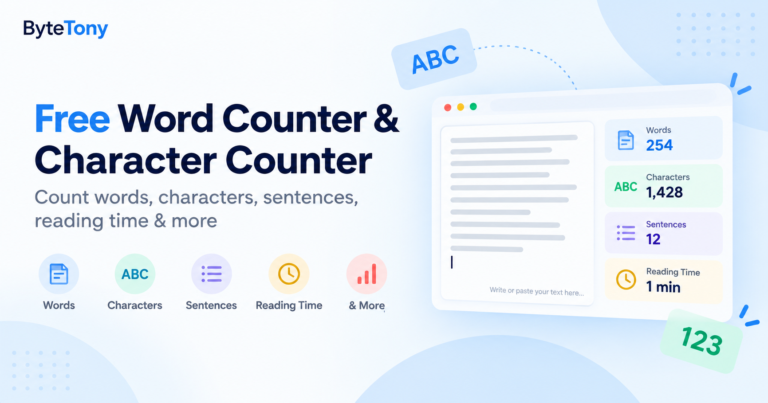
If you need to check your draft’s length, try the free ByteTony Word Counter & Character Counter before sending.
Best for: Beginners who want structured templates and quick email drafts.
6. MailMaestro
MailMaestro brings AI email writing directly into Outlook and Gmail through an Outlook add-in or Chrome extension.
You can compose new messages, reply to emails, and improve existing drafts without constantly switching between applications.
After its initial trial, the free plan provides three AI writing requests per week.
The catch: The weekly allowance is small, and removing the MailMaestro watermark requires a paid plan. Advanced features are also restricted.
Best for: Outlook users who occasionally need help composing or replying to emails.
7. HubSpot AI Email Writer
HubSpot’s AI Email Writer is designed primarily for sales, marketing, and customer outreach.
It helps users create promotional messages, sales emails, and marketing copy within HubSpot’s business platform.
Basic AI writing features are available for free with a HubSpot account, although more advanced marketing capabilities require paid subscriptions.
The catch: You need a HubSpot account, and marketing emails sent through the free email marketing plan include HubSpot branding.
Best for: Freelancers and small businesses creating sales or marketing emails.
How to Write a Professional Email with AI
You do not need complicated prompts to get useful results.
For example, try this prompt in ChatGPT, QuillBot, or Rytr:
Write a polite, professional follow-up email to a client who has not responded to my proposal after one week. Keep it under 120 words, use a friendly tone, and end with a clear question.
For better results, include the recipient, purpose, desired tone, and important details.
Always review the generated email for incorrect names, dates, or promises before sending it.
My Recommendation
The right AI email writer depends on how you plan to use it.
- Best overall for beginners: ChatGPT Free, because it can handle everything from simple messages to complex professional emails.
- Best for quick emails: QuillBot AI Email Writer, especially if you do not want to sign up.
- Best for improving drafts: Grammarly Free, thanks to its grammar and tone suggestions.
- Best for Gmail: Gemini Help Me Write, if your account is eligible.
- Best for ready-made templates: Rytr, especially for beginners who prefer guided writing.
- Best for Outlook: MailMaestro, provided three weekly requests are enough.
- Best for sales emails: HubSpot, particularly if you already use its marketing tools.
If you need AI assistance beyond emails, explore our guide to the 7 Best Free AI Writing Tools for Beginners.
FAQ
Can AI write a professional email for free?
Yes. ChatGPT, QuillBot, Rytr, and several other tools offer free ways to generate professional emails. Some have monthly limits, while others restrict specific features or account eligibility.
What is the best free AI email writer for Gmail and Outlook?
For eligible Gmail accounts, Gemini Help Me Write is convenient because it works inside Gmail. MailMaestro offers limited free assistance within Outlook and Gmail, while Grammarly works across both for editing drafts.
Is it safe to paste personal or client information into AI email writers?
Be cautious with confidential information. Avoid sharing passwords, contracts, financial details, or sensitive client data.
For ChatGPT, you can disable the use of new conversations for model training under Settings → Data Controls → “Improve the model for everyone.” Privacy policies differ between providers.
Do these tools support languages other than English?
Yes, but language support varies. ChatGPT supports many languages, while Rytr offers multiple language choices but limits its free plan to one selected language. Gemini Help Me Write supports several languages, although Arabic is not currently among those listed for that specific feature.
Conclusion
The Best Free AI Email Writers make everyday communication easier, but no single tool is ideal for everyone.
Start with ChatGPT for flexible drafting, Grammarly for polishing your writing, or a dedicated email generator if you prefer a simpler experience.
Whatever you choose, review each email before sending it. Clear, accurate, and personal communication matters more than generating text quickly.
Enjoyed this guide? Support ByteTony and help us create more simple, beginner-friendly tech guides.
☕ Support ByteTony