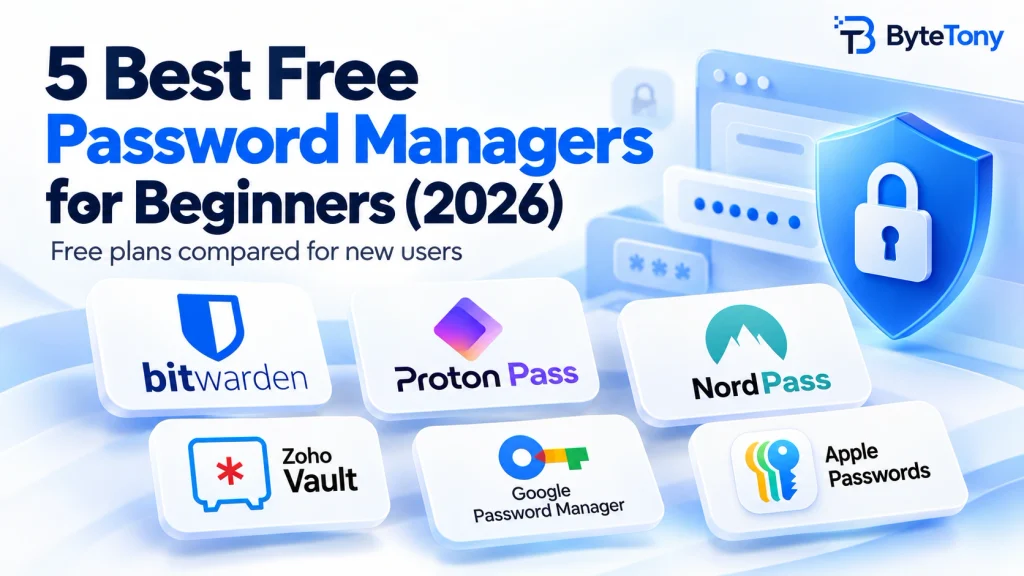
The best free password managers for beginners make it easy to create, save and autofill strong, unique passwords without paying for features you may not need. Choosing one is harder than it looks, though. Free plans can limit devices, sharing or security features, and Dashlane ended its free plan on September 16, 2025, so many older recommendations are now out of date. (dashlane.com)
Every pick below has an ongoing free plan rather than a temporary trial and is suitable for beginners. For most people looking for a dedicated password manager, Bitwarden is the strongest place to start.
If you’re new to password managers, our guide on how to set up a password manager safely explains the essential steps for securing your vault from the start.
Note: This article may contain affiliate links. If you buy through them, we may earn a small commission at no extra cost to you.
Table of Contents
Free Plans Compared at a Glance
Here’s how the free plans compare on the limits that matter most.
| Tool | Devices on free plan | Password limit | Sharing | Standout free feature | Best for |
|---|---|---|---|---|---|
| Bitwarden | Unlimited | Unlimited | With 1 other user | Open source, no device limits | Best overall |
| Proton Pass | Unlimited | Unlimited | Limited | 10 email aliases | Privacy |
| NordPass | Install anywhere, 1 active session | Unlimited | Paid only | Simple setup, no card needed | Mostly one-device use |
| Zoho Vault | Unlimited | Unlimited | Paid only | Passkey / YubiKey / Windows Hello unlock | Extra login security |
| Google / Apple built-in | Best in their own ecosystems | No practical password limit for typical use | Available | Already installed | One-ecosystem users |
(Verified: September 2026)
The 5 Best Free Password Managers for Beginners
1. Bitwarden – Best Overall Free Option
Bitwarden gives you unlimited passwords on unlimited devices and lets you securely share vault items with one other user for free. It’s also open source and supports two-factor authentication for protecting your Bitwarden account. (bitwarden.com)
Limitation: Features such as the integrated authenticator, file attachments, emergency access and advanced security reports require Premium. Bitwarden Premium currently costs $19.80 per year, billed annually. (bitwarden.com)
Pricing may change over time, so check the official Bitwarden website for the latest details.
Best for: Anyone who wants a dedicated free password manager they can use long-term across multiple devices.
2. Proton Pass – Best for Privacy
Proton Pass offers unlimited logins on unlimited devices, plus 10 hide-my-email aliases. An alias is a forwarding address you can give to websites instead of exposing your main email address. The free plan also warns about weak and reused passwords, supports passkeys and includes up to three 2FA items. (proton.me)
Limitation: More advanced features, including unlimited built-in 2FA items, require a paid plan.
Best for: Privacy-minded users who also want useful email-privacy features.
3. NordPass – Easiest to Use
NordPass covers the essentials, including autosave, autofill and password generation. You can install it on as many devices as you want, and your data syncs between them. (support.nordpass.com)
Key limitation: The free plan allows only one active session on one device at a time. If you sign in on another device, the previous session is logged out. Features such as Password Health, the Data Breach Scanner and secure item sharing require a paid plan. (support.nordpass.com)
Best for: Beginners who mostly use one device at a time and want a simple setup.
4. Zoho Vault – Best for Extra Login Security
Zoho Vault offers unlimited password storage and access from computers, smartphones and tablets. Its free plan also includes file attachments and a password assessment report. You can unlock your vault using options such as a passkey, YubiKey, Windows Hello or Touch ID instead of entering your master password each time. (zoho.com)
Limitation: Password sharing requires a paid plan. (zoho.com)
Best for: Zoho users or anyone who wants flexible vault-unlock options without paying.
5. Built-in Options (Google Password Manager / Apple Passwords) – Simplest Start
Google Password Manager and Apple Passwords are already built into their respective ecosystems, so there’s little setup required.
Google Password Manager works best with a Google Account, Chrome and Android, and it also supports securely sharing saved passwords with members of your Google family group. (support.google.com)
Apple Passwords works across Apple devices through iCloud Keychain and supports shared password groups. Windows users can access iCloud Passwords through iCloud for Windows, although Apple Passwords is still most convenient for people who mainly use Apple devices. (support.apple.com)
Best for: People who stay mostly within the Apple or Google ecosystem and want the simplest way to get started.
My Recommendation
For most beginners who want a standalone password manager, start with Bitwarden. Among the dedicated third-party options in this list, it combines unlimited passwords, unlimited devices, no one-device session limit and free sharing with another user.
If privacy features such as email aliases matter more to you, Proton Pass is a strong alternative. If you mostly use one device at a time and want something simple, NordPass is worth considering. And if you stay almost entirely within Apple’s or Google’s ecosystem, their built-in password managers may be all you need.
FAQ
Are free password managers safe?
Reputable free password managers can be safe. Established providers generally use the same core encryption and security architecture for free users, while paid plans mainly add extra features. Use a strong, unique master password and enable two-factor authentication whenever possible.
If you need a strong password for your new vault or other accounts, ByteTony’s free Password Generator can create a random password directly in your browser.
Can I move my saved browser passwords into one?
Yes. Most major password managers let you export passwords from a browser and import them into the new service. After checking that everything transferred correctly, delete the exported CSV file immediately because exported password files may contain your passwords in readable, unencrypted form. You can then remove the old browser copies if you no longer plan to use them.
Conclusion
The best free password managers for beginners don’t need dozens of premium features. What matters most is secure password storage, reliable autofill and easy access on the devices you actually use.
Pick one, import your existing passwords and turn on 2FA. For most beginners who want a dedicated password manager, Bitwarden is a strong starting point, while Proton Pass, NordPass, Zoho Vault and the built-in Google and Apple options each make sense for different needs.
Enjoyed this guide? Support ByteTony and help us create more simple, beginner-friendly tech guides.
☕ Support ByteTony