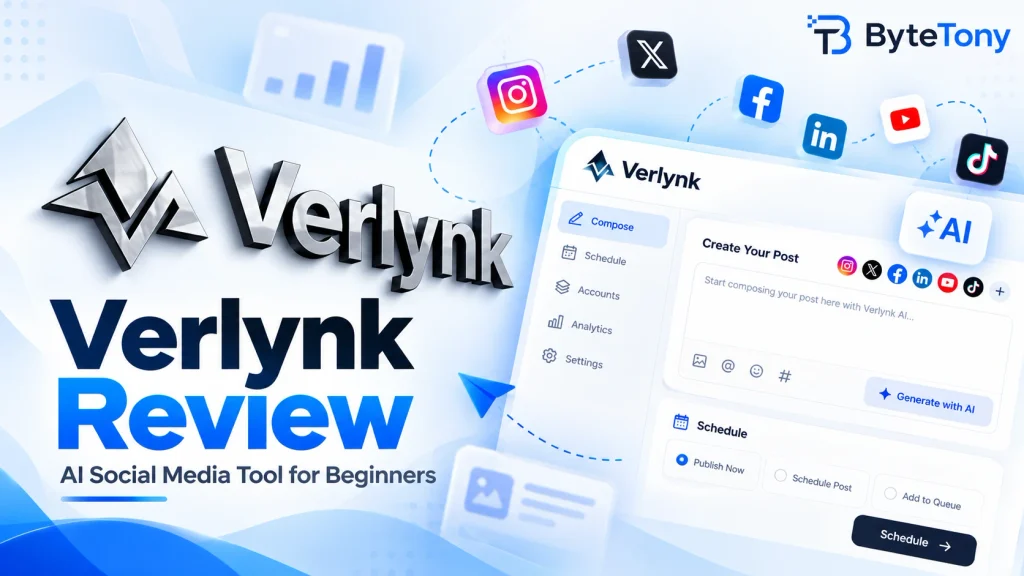
This Verlynk review looks at whether this AI social media management tool is worth using for creators, bloggers, freelancers, and small teams. Verlynk combines AI content creation, scheduling, engagement, and analytics in one workspace and supports both web and mobile use.
The short answer: Verlynk is worth considering if you manage several social networks and want AI-assisted planning without juggling multiple tools. However, it is still a relatively young platform with a smaller independent review history than established alternatives such as Buffer or Hootsuite.
Note: This article may contain affiliate links. If you buy through them, we may earn a small commission at no extra cost to you.
Table of Contents
Verlynk Review: Key Features
- AI content creation: Verlynk’s Content Agent can draft posts, campaigns, captions, images, and other social content based on your goals and brand information.
- Scheduling and calendar: You can create and schedule posts from one workspace instead of publishing separately on every network.
- Unified inbox: Verlynk brings comments and DMs from connected accounts into one place and can draft AI-assisted replies.
- Analytics and Social Health: The platform tracks followers, reach, engagement, and other performance signals across your social presence.
- Team and client approvals: Teams can collaborate on drafts and send posts for approval before anything is published.
- AI integrations: Verlynk supports MCP integrations with tools such as ChatGPT, Claude, and Cursor.
According to the official Verlynk website, the platform currently supports Facebook, Instagram, X, LinkedIn, Pinterest, TikTok, YouTube, Mastodon, Bluesky, and Threads.
If you prefer planning your ideas before moving them into a scheduling platform, ByteTony’s Free Content Calendar can also help organize upcoming posts and campaigns.
Verlynk Pros and Cons
Pros
- Combines content creation, scheduling, engagement, and analytics
- Supports 10 major social platforms
- AI-generated content remains in draft form until you approve it
- Unified inbox for comments and messages
- Team collaboration and client approval features
- Web and mobile access
Cons
- Smaller independent review history than long-established competitors
- Some advanced features are aimed more at teams than individual beginners
- AI-generated content still needs human review before publishing
- Pricing and plan details may change as the platform develops
Verlynk Pricing
Verlynk currently lists three tiers: Starter, Individual, and Team.
| Plan | Main Features |
|---|---|
| Starter | 1 brand, 5 channels, AI captions and images, scheduling |
| Individual | 3 brands, all 10 supported platforms, inbox automation, Social Health |
| Team | Unlimited brands and channels, MCP integrations, priority support |
Verlynk also advertises a 7-day free trial with no credit card required on its current plans.
At the time of this review, the official pricing page was displaying promotional or placeholder pricing of $0/$0.00 across the listed plans. Because subscription prices can change, check Verlynk directly for the price shown before subscribing.
Who Should Use Verlynk?
Best for: creators, bloggers, freelancers, small businesses, and social media teams managing several platforms from one place.
It may be especially useful if you regularly repurpose content across different networks and want AI to help with drafting and scheduling.
You may not need it if:
- you manage only one social account;
- you prefer publishing directly through each platform;
- you need a product with a long-established review and support history.
For campaigns that send users to your website, you can also create trackable campaign links with ByteTony’s free UTM Generator.
FAQ
Is Verlynk legit?
Verlynk is operated by Verlynk LLC and has an official website, privacy policy, terms, and mobile app listings. Its iOS app is published under Verlynk LLC.
As with any social media management tool, check the permissions requested when connecting your accounts and grant only the access you are comfortable with.
Does Verlynk post automatically without approval?
Not by default. Verlynk says its AI agents create drafts first, and nothing is published without your approval. This gives you an opportunity to review captions, images, and other content before it goes live.
Which social networks does Verlynk support?
Verlynk currently lists Facebook, Instagram, X, LinkedIn, Pinterest, TikTok, YouTube, Mastodon, Bluesky, and Threads.
Is Verlynk better than Buffer or Hootsuite for beginners?
It depends on what you need.
Buffer is a more established option and has a permanent free plan for up to three channels. Its paid plans use per-channel pricing.
Verlynk puts more emphasis on AI agents, multi-brand management, inbox automation, and integrations with AI tools such as ChatGPT and Claude.
Hootsuite is also much more established and offers a broader ecosystem for professional social media teams, but beginners may find that they do not need all of its advanced features.
Final Verdict
Verlynk is worth trying if you manage several social networks and want AI to help create, organize, schedule, and manage content from one place.
Its strongest advantages are its AI-assisted workflow, support for multiple networks, unified inbox, and integrations with other AI tools. Its main limitation is simply that it does not yet have the long track record of platforms such as Buffer or Hootsuite.
For beginners, the practical approach is to use Verlynk’s trial first, connect a few social accounts, and test the workflow with real posts before deciding whether a paid plan makes sense for you.
Enjoyed this guide? Support ByteTony and help us create more simple, beginner-friendly tech guides.
☕ Support ByteTony