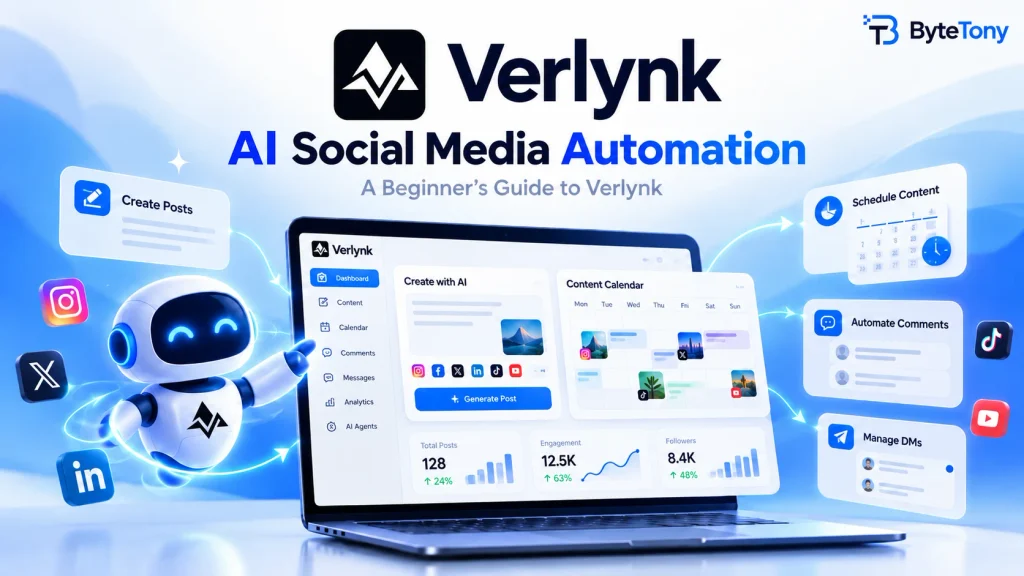
AI Social Media Automation is changing how businesses, creators, and marketers manage their online presence. Instead of spending hours creating posts, scheduling content, answering comments, and responding to messages, AI-powered tools can help simplify these repetitive tasks.
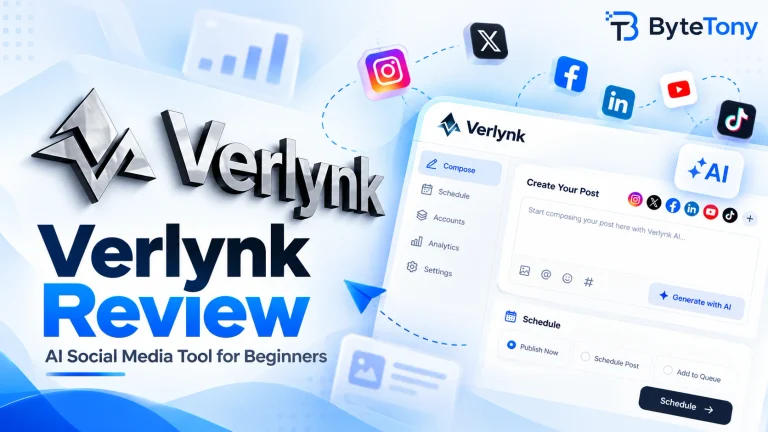
One platform bringing these capabilities together is Verlynk, an AI-powered social media management tool designed to help users create content, organize publishing schedules, and manage audience interactions.
But how do AI agents actually work, and can they make social media management easier?
In this beginner-friendly guide, we’ll explore how Verlynk uses AI agents, what tasks they can automate, and how to build a more efficient social media workflow without losing the human touch.
Affiliate disclosure: This article contains affiliate links. If you sign up or make a purchase through them, ByteTony may earn a commission at no additional cost to you.
Table of Contents
What Are AI Agents for Social Media?
AI agents are tools that use artificial intelligence to assist with specific tasks, sometimes performing parts of a workflow automatically based on instructions and predefined rules.
In social media management, they can help with:
- Generating post ideas and captions.
- Creating and organizing content.
- Scheduling posts across supported platforms.
- Managing repetitive comments and messages.
- Analyzing engagement and content performance.
Unlike basic scheduling tools, AI-powered platforms can assist with several connected activities rather than requiring you to manage every step separately.
Verlynk combines content creation, publishing, engagement management, and analytics in one workspace.
The goal isn’t to eliminate human involvement. It’s to reduce repetitive work while keeping you in control of your content and brand.
How AI Social Media Automation Works with Verlynk
Verlynk offers several AI-assisted capabilities that address common social media management challenges.
1. AI Content Creation: Generate Posts More Efficiently
Creating fresh content consistently can be difficult, especially when managing multiple social media accounts.
Verlynk’s Content Agent helps users develop post ideas, captions, and campaign content based on their goals and brand information.
For example, imagine you manage a small online store and want to promote a new product.
Instead of writing every caption from scratch, you can use AI to develop:
- Product announcement ideas.
- Social media captions.
- Promotional campaign concepts.
- Content adapted for different audiences.
- Drafts for upcoming posts.
You can then review and edit the generated content before publishing.
This approach reduces the time spent brainstorming while allowing you to maintain your brand’s personality.
Beginner tip: Treat AI-generated content as a starting point. Always check the accuracy, tone, and relevance of each post before sharing it.
2. AI Scheduling: Plan Content in Advance
Publishing consistently is important, but remembering when and where to post can quickly become overwhelming.
Verlynk provides scheduling and content calendar features that help users organize upcoming posts across supported social media platforms.
Instead of publishing everything manually, you can prepare content ahead of time and choose when it should go live.
For example, a content creator could prepare several posts during one session and schedule them throughout the week.
Benefits include:
- Maintaining a consistent posting schedule.
- Organizing campaigns in advance.
- Reducing repetitive publishing tasks.
- Managing multiple accounts from one workspace.
- Spending more time on content quality and audience engagement.
Verlynk also offers approval workflows, allowing users or teams to review content before publication.
If you manage several social media accounts, explore Verlynk’s AI-powered tools to see how its scheduling and content creation features fit your workflow.
3. AI Comment Automation: Manage Repetitive Interactions
Responding to social media comments helps maintain engagement, but answering similar questions repeatedly can consume valuable time.
Verlynk supports comment automation workflows that help manage eligible interactions.
For example, imagine publishing a post about a new product and asking followers to comment “LINK” if they want more information.
With a supported Comment-to-DM workflow, Verlynk can detect the configured keyword, send an appropriate public reply, and deliver a predefined message through direct messages.
This can be useful for:
- Sharing product information.
- Delivering promotional links.
- Answering common questions.
- Managing repetitive engagement activities.
However, not every comment should receive an automated response.
Complaints, sensitive questions, and complex customer requests often require personal attention.
Important: Available automation options depend on the social platform, account permissions, and configured workflows.
4. AI DM Automation: Simplify Direct Message Management
Direct messages are important for businesses that communicate with customers through social media.
People may ask about pricing, product availability, services, or how to get started.
Answering these questions individually can become difficult as message volume increases.
Verlynk’s engagement and inbox automation features can help organize incoming conversations, identify common requests, and prepare or send supported responses depending on the workflow.
For example, a customer might ask about your opening hours.
A configured automation could help provide the relevant information without requiring you to type the same response repeatedly.
For more complex conversations, human review remains important.
The objective is to make communication more efficient, not to replace meaningful customer relationships with generic automated replies.
Bringing Content Creation and Engagement Together
One advantage of AI-powered social media management is connecting activities that would otherwise require several separate tools.
A typical workflow might look like this:
- Create content: Use AI to generate ideas and prepare initial drafts.
- Review posts: Edit captions, check information, and confirm the content matches your brand.
- Schedule publishing: Organize approved posts in your content calendar.
- Manage engagement: Configure supported comment and message automation workflows.
- Review performance: Use available analytics to identify which posts attract attention and engagement.
By connecting these activities, businesses and creators can reduce repetitive tasks and maintain a more organized publishing routine.
Verlynk also offers integrations through the Model Context Protocol (MCP), allowing compatible AI tools such as ChatGPT and Claude to interact with supported social media workflows.
These integrations may be useful for advanced users, but beginners can start with Verlynk’s regular interface.
How to Get Started with Verlynk
You don’t need to automate your entire social media strategy immediately.
A better approach is to start with one or two repetitive tasks and expand gradually.
Step 1: Create Your Account
Visit Verlynk and explore the available plans and trial options.
Review the current pricing and feature limits before choosing a plan.
Step 2: Connect Your Social Media Accounts
Connect the accounts you want to manage.
Verlynk lists support for major platforms including Facebook, Instagram, LinkedIn, TikTok, Pinterest, YouTube, Threads, X, Bluesky, and Mastodon.
However, publishing, messaging, and automation capabilities may differ between platforms.
Check the available permissions and supported features before connecting each account.
Step 3: Prepare Your First AI-Assisted Post
Choose a topic or describe what you want to promote.
Use Verlynk’s content creation features to generate a draft, then adjust the wording to match your audience.
For example, if you’re promoting a new blog article, you could ask for a short, informative caption that encourages readers to visit your website.
Step 4: Schedule Your Content
Once your post is ready, select the appropriate social accounts and organize its publishing schedule.
Start with a manageable number of posts rather than filling your entire calendar immediately.
This gives you time to check that your workflow works correctly.
Step 5: Configure Engagement Automation
Explore the available comment and DM automation features.
Begin with simple interactions, such as answering common questions or sharing requested information.
Test each workflow before relying on it for customer communication.
Step 6: Track Results and Improve
Review engagement, reach, and other available performance metrics to understand how your content performs.
If your social media posts direct visitors to a website, you can also use ByteTony’s free UTM Generator to create trackable campaign links.
UTM parameters help analytics tools distinguish traffic from different platforms and campaigns.
This makes it easier to understand which social media activities bring visitors to your website.
Who Can Benefit from AI Social Media Automation?
AI-powered workflows can be helpful for different types of users.
Small businesses: Reduce the time spent creating promotional content and answering repetitive customer questions.
Content creators: Organize publishing schedules and develop content ideas more consistently.
Bloggers: Prepare social media posts that promote new articles and direct readers to their websites.
Freelancers: Manage client content calendars and reduce repetitive publishing work.
Marketing agencies: Coordinate multiple brands, collaborate with team members, and organize client approvals.
However, if you only manage one account and publish occasionally, a simpler scheduling tool or manual publishing may be sufficient.
The value of automation depends on how much time it saves and whether its features match your needs.
What Should You Consider Before Automating Social Media?
AI automation can improve efficiency, but it also introduces responsibilities.
Before relying on an automated workflow, consider these points:
- Content accuracy: Review AI-generated posts for incorrect or misleading information.
- Brand consistency: Make sure captions and responses reflect your brand’s personality.
- Platform restrictions: Some automation features may be unavailable or limited on certain social networks.
- Customer privacy: Review permissions and avoid exposing sensitive information through automated messages.
- Human oversight: Keep personal attention available for complicated or sensitive conversations.
- Pricing and limitations: Check which features are included in your plan and whether usage limits apply.
Automation also doesn’t guarantee more followers, better engagement, or increased sales.
Content quality, audience interests, and your overall strategy remain important.
For a closer look at Verlynk’s features, advantages, limitations, and suitability for beginners, read our detailed Verlynk Review.
Is Verlynk Worth Trying for Social Media Automation?
Verlynk is worth considering if you manage multiple social media accounts and want to combine AI-assisted content creation, scheduling, and engagement management.
Its connected approach may be particularly useful for creators, small businesses, and marketing teams that regularly handle repetitive social media tasks.
However, it is important to test the features you actually need before committing to a paid subscription.
Start with a small workflow, review the results, and decide whether the platform saves enough time to justify using it regularly.
Final Thoughts
AI Social Media Automation can make managing social media less repetitive by helping users create posts, organize publishing schedules, and handle supported engagement workflows.
Verlynk brings several of these capabilities together, offering an option for users who want a more connected approach to social media management.
The key is finding the right balance between automation and personal involvement.
Let AI assist with repetitive tasks, but keep human judgment at the center of your content, communication, and marketing decisions.
If you’re interested in simplifying your workflow, explore Verlynk and its AI social media agents to see whether the platform meets your needs.
Enjoyed this guide? Support ByteTony and help us create more simple, beginner-friendly tech guides.
☕ Support ByteTony