Use this free Word Counter & Character Counter to instantly count words, characters, sentences, paragraphs, lines, reading time, and speaking time. Simply type or paste your text below — no sign-up required.
🔒 Privacy: Your text is processed directly in your browser. ByteTony does not upload or store the text you enter.
Quick Character Limits
See how the text above compares with common character limits and SEO guidelines.
About This Word Counter Tool
ByteTony’s free Word Counter & Character Counter helps you quickly measure the length of any text. Type or paste your content into the box above to instantly see the number of words, characters, sentences, paragraphs, and lines.
The tool also estimates reading time and speaking time, making it useful for bloggers, students, writers, content creators, and anyone working with text online.
What Does This Word Counter Measure?
The tool automatically calculates:
- Words
- Characters with spaces
- Characters without spaces
- Sentences
- Paragraphs
- Lines
- Estimated reading time
- Estimated speaking time
All results update instantly as you type or paste your text.
How to Use the Word Counter
Using the tool is simple:
- Type your text directly into the text box or click Paste Text.
- View the word and character statistics instantly.
- Check the Quick Character Limits section for SEO titles, meta descriptions, YouTube titles, and X posts.
- Click Copy Text when you want to copy your content again.
- Use Clear Text to reset the tool.
No account or sign-up is required.
Word Count vs. Character Count
Word count tells you how many individual words are in your text.
Character count measures every character, including letters, numbers, punctuation marks, and — when using the “Characters (with spaces)” result — spaces.
The tool also provides a separate “Characters without spaces” count when you need a more specific measurement.
How the Character Limit Checker Works
The Quick Character Limits section helps you compare your text with common limits and guidelines used for:
- SEO titles
- Meta descriptions
- YouTube titles
- X posts
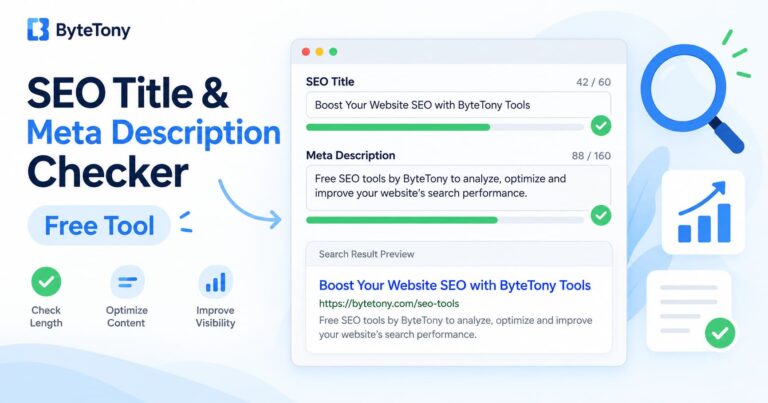
SEO title and meta description lengths are practical guidelines rather than fixed Google limits, because search-result truncation can also depend on display width.
Reading Time and Speaking Time
The reading-time estimate is based on an average reading speed of about 200 words per minute.
The speaking-time estimate uses approximately 130 words per minute.
Actual times can vary depending on the reader, speaker, language, and complexity of the text.
Why Use an Online Word Counter?
An online word counter can save time when you need to check the length of an article, assignment, social media post, script, or other piece of content. Instead of counting manually, the tool updates your text statistics instantly as you write. This makes it easier to stay within writing requirements, compare different drafts, and quickly check whether your content is too short or too long.
Is My Text Private?
Yes. The text you enter is processed directly in your browser for counting purposes. ByteTony does not upload or store the text you type into this tool.
Who Can Use This Tool?
The Word Counter & Character Counter can be useful for:
- Bloggers and website owners
- Students
- Writers and editors
- Social media creators
- YouTube creators
- SEO beginners
- Freelancers
- Anyone who needs to quickly check the length of a piece of text
The tool is free to use and requires no registration.
Looking for more useful resources? Explore ByteTony’s Free Tools or check out our guide to the best free SEO tools for bloggers.