Bitwarden vs NordPass comes down to two main differences: how generous the free plan is and how easy the apps are to use. Both password managers store and autofill your logins in an encrypted vault. Bitwarden is the better free option and offers stronger overall value, while NordPass may appeal more to beginners who prefer a polished interface. Here’s how they compare.
Note: This article may contain affiliate links. If you buy through them, we may earn a small commission at no extra cost to you.
Table of Contents
Bitwarden vs NordPass at a Glance
| Feature | Bitwarden | NordPass |
|---|---|---|
| Free plan devices | Unlimited, simultaneous use | Unlimited installs, one active session |
| Sharing on free | With one other user | Paid plans only |
| Premium price | $1.65/mo ($19.80/year) | Introductory price at checkout |
| Family plan | 6 users, $3.99/mo ($47.88/year) | 6 users, price at checkout |
| Password health | Advanced reports on Premium | Password Health and Data Breach Scanner on Premium |
| Email aliases | Third-party integrations | Built-in Email Masking on Premium |
| Open source / self-hosting | Yes / Yes | No / No |
| Encryption | AES-256 | XChaCha20 |
Last checked: October 13, 2026. Prices and features may change. Check the official websites for current details.
In everyday use, the free plan is where these two differ most.
Free Plan: The Biggest Difference
Bitwarden Free gives you unlimited passwords across unlimited devices, including browsers, phones, and computers. You can stay signed in on multiple devices and securely share vault items with one other person through a free organization.
NordPass Free also lets you install the app on unlimited devices, but only one device can have an active session at a time. Password Health, the Data Breach Scanner, and secure item sharing require Premium.
Example: If you use a phone and laptop, signing in on one device with NordPass Free ends your active session on the other. Bitwarden Free lets you stay signed in on both.
NordPass explains these restrictions in its official Free vs Premium comparison.
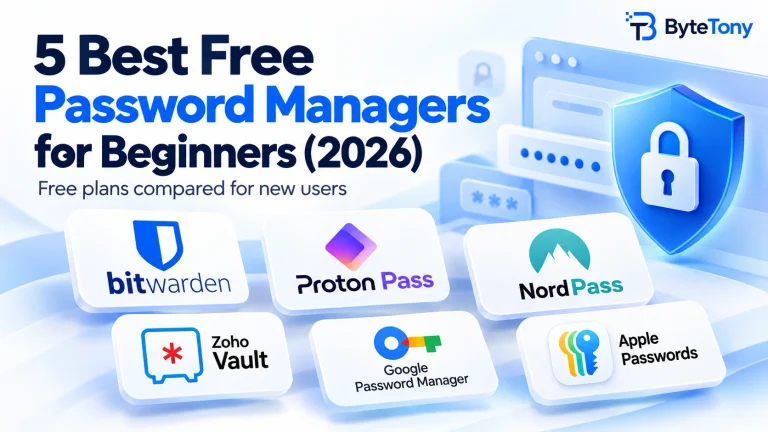
If you’d like to explore alternatives beyond this Bitwarden vs NordPass comparison, see our guide to the best free password managers for beginners.
Pricing and Paid Plans
Bitwarden Premium costs $1.65 per month, billed annually at $19.80. Its Families plan costs $3.99 per month for up to six users, billed at $47.88 per year. These are the standard published annual prices, excluding applicable taxes.
NordPass offers personal subscriptions with 1-year and 2-year terms. Promotional prices can make the first term cheaper, but the renewal price may be higher. Check both amounts before subscribing.
What Premium adds:
- Bitwarden: An integrated authenticator for generating login verification codes, 5 GB of encrypted file attachments, emergency access, and vault health reports.
- NordPass: Password Health, Data Breach Scanner, Email Masking, file attachments, emergency access, and secure sharing.
Bitwarden Free already supports two-factor authentication (2FA) to protect your vault. Its separate Bitwarden Authenticator app is also free; Premium adds code generation directly inside the password manager.
Both providers offer 30-day refund policies, subject to their terms. NordPass’s money-back guarantee applies to the initial subscription purchase, not ordinary renewals.
You can confirm Bitwarden’s features and prices on its official pricing page.
Security and Privacy
Both password managers use zero-knowledge encryption, meaning your vault contents are encrypted on your device and aren’t readable by the provider under normal operation.
Bitwarden uses AES-256, while NordPass uses XChaCha20. Both are strong encryption technologies, and neither has an obvious advantage for everyday password management based on the algorithm alone.
Both have undergone independent security audits. NordPass has been audited by Cure53, while Bitwarden publishes assessments from multiple independent security firms.
The biggest difference is transparency. Bitwarden is open source, allowing its code to be inspected, and supports self-hosting. NordPass is closed-source and uses cloud hosting.
Both offer strong security foundations. Whichever you choose, use a strong, unique master password and enable two-factor authentication.
You can create strong passwords with ByteTony’s free Password Generator, which generates passwords directly in your browser.
Ease of Use
NordPass has a clean, modern interface that some beginners may find easier to navigate. Bitwarden is more utilitarian, although its everyday features remain straightforward once you’re familiar with the app.
Both support major browsers and operating systems, including Windows, macOS, Linux, Android, and iOS.
For most users, the difference is less about platform compatibility and more about interface preferences.
If you’re comfortable with a slightly more technical-looking app, Bitwarden is an excellent choice. If you prioritize visual simplicity, NordPass is worth trying.
My Recommendation
Bitwarden is my overall recommendation, particularly for beginners who want a free password manager they can use across several devices without paying.
Its generous free plan, transparent pricing, open-source code, and affordable Premium subscription make it a practical long-term choice.
Choose NordPass if:
- You prefer a more polished, beginner-friendly interface.
- You want built-in Email Masking and breach monitoring with Premium.
- You already use Nord products and find a suitable bundle that includes NordPass.
Both support importing passwords from browsers and other password managers, so switching later is possible. Just remember that exported CSV files may contain unencrypted passwords. Delete them securely after verifying that your passwords transferred correctly.
Conclusion
For most beginners, Bitwarden Free is the better starting point. It offers unlimited passwords, unlimited devices, and useful sharing features without requiring a subscription.
If interface design and built-in premium security extras matter more to you, NordPass is a worthwhile alternative. Its eligible personal subscriptions include a 30-day money-back guarantee on the initial purchase.
Ultimately, the Bitwarden vs NordPass decision depends on what you value most: Bitwarden for free features and flexibility, or NordPass for a more polished experience.
Enjoyed this guide? Support ByteTony and help us create more simple, beginner-friendly tech guides.
☕ Support ByteTony